
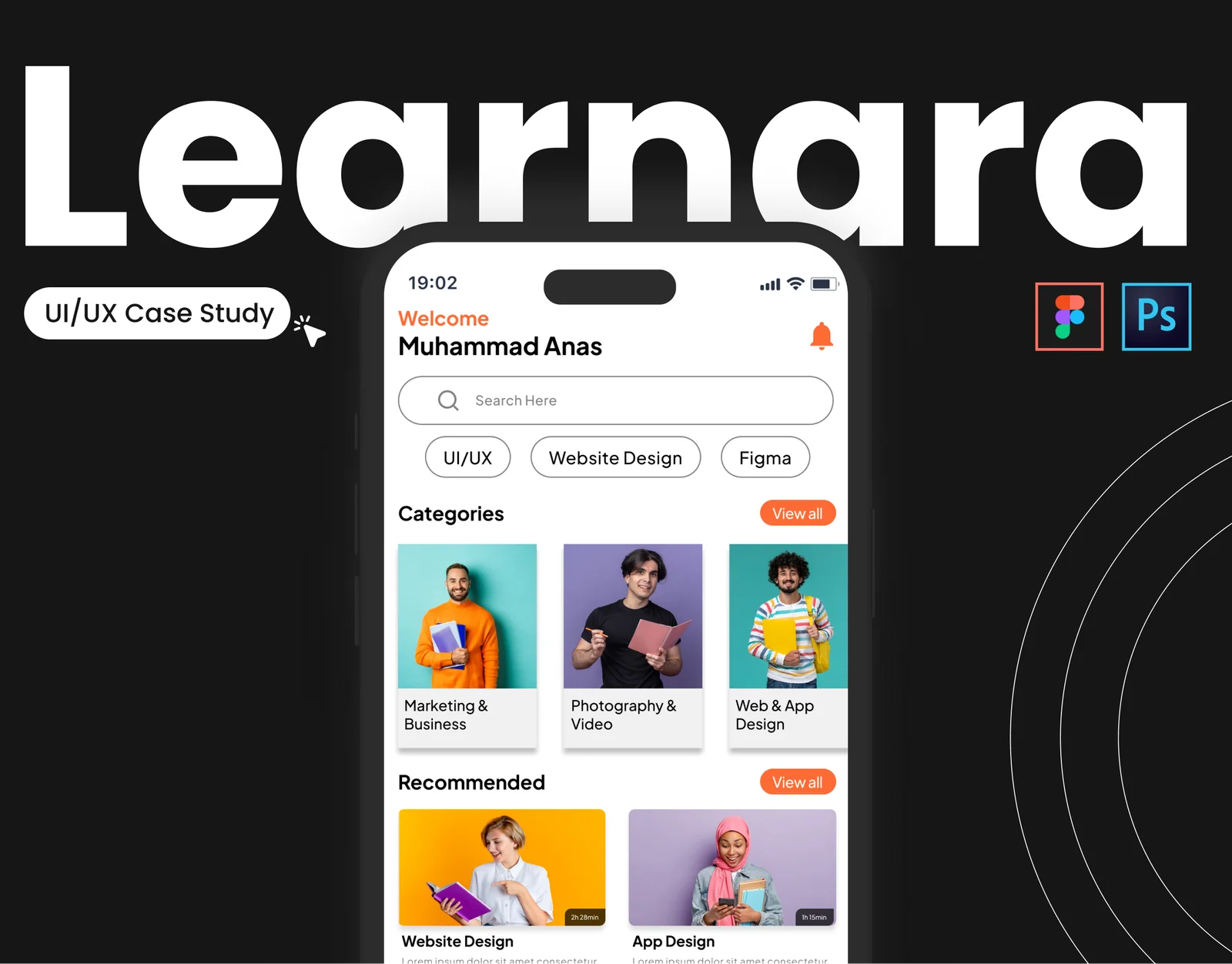
Exploring a more connected course-learning journey.
I designed Learnara as a self-initiated mobile learning concept around 2023. The focus was the journey from finding a course and reviewing its curriculum to returning to lessons already in progress.
02 — Exploration
Learning from existing apps. Designing my own path.
Research here means hands-on comparative exploration, not a claim of formal user studies.
I tried existing learning apps and compared how they handled course search, navigation, curriculum presentation and progress. I also discussed the work and its design direction with my trainers.
I developed the interface in Figma myself. The screens shown are a design concept, not a live application or measured conversion experiment.
03 — Design decisions
Three journeys. One learning experience.
Each choice is paired with the actual mobile screens that demonstrate it.
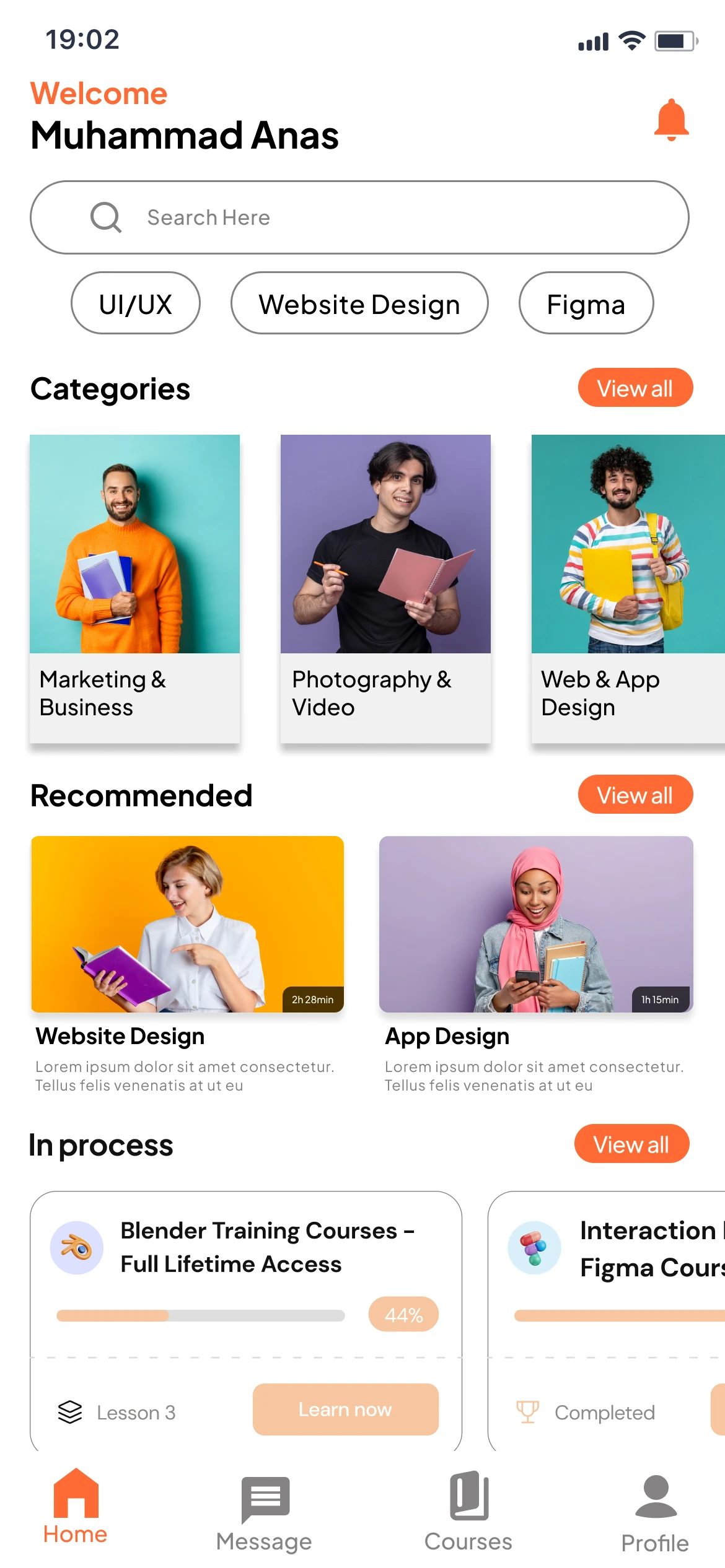 Home screen
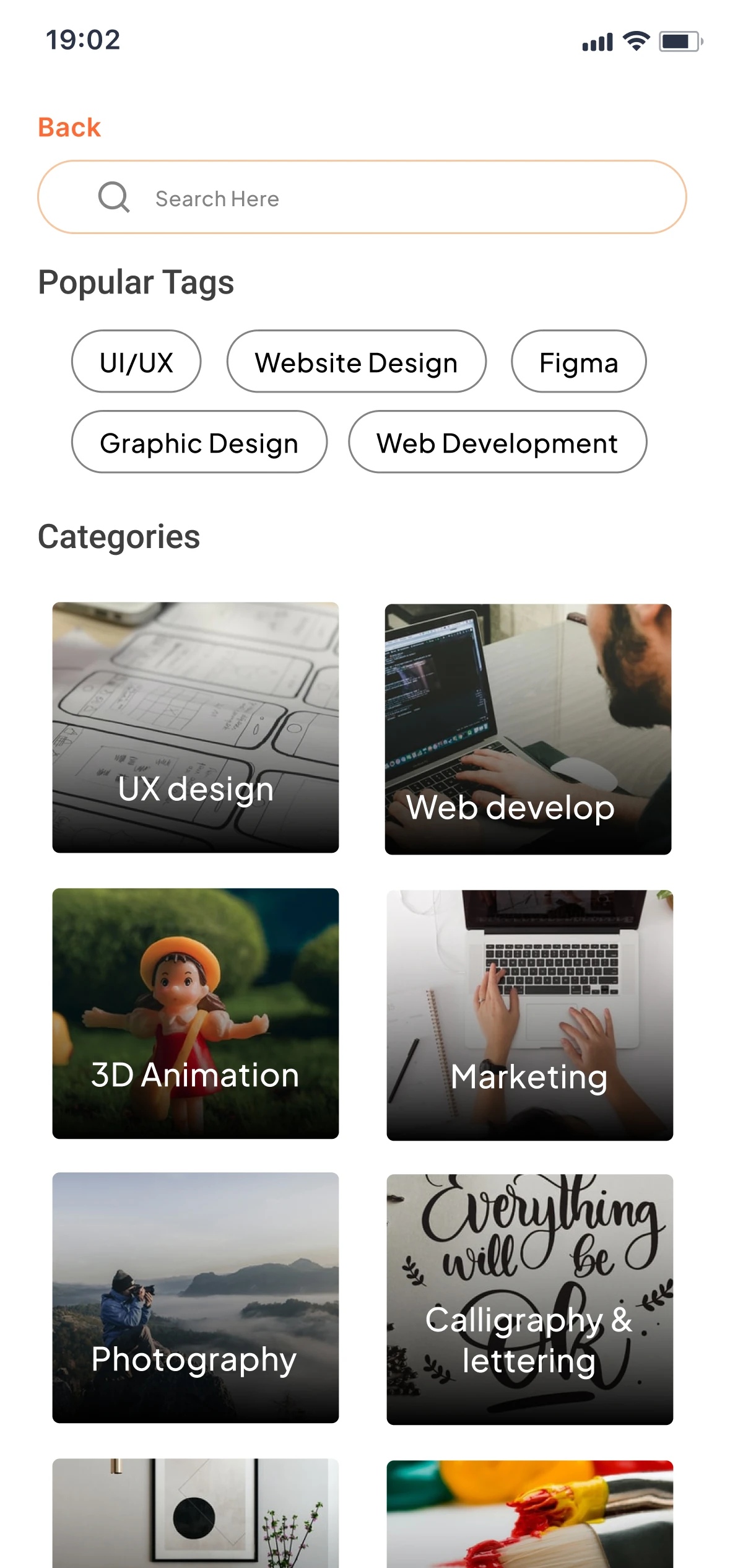 Search screen
01 / Course discovery
Make browsing and searching complementary.
Home highlights search, topic shortcuts and recommendations. A separate Search screen provides popular topics and categories, giving learners both a direct and exploratory route into the catalogue.
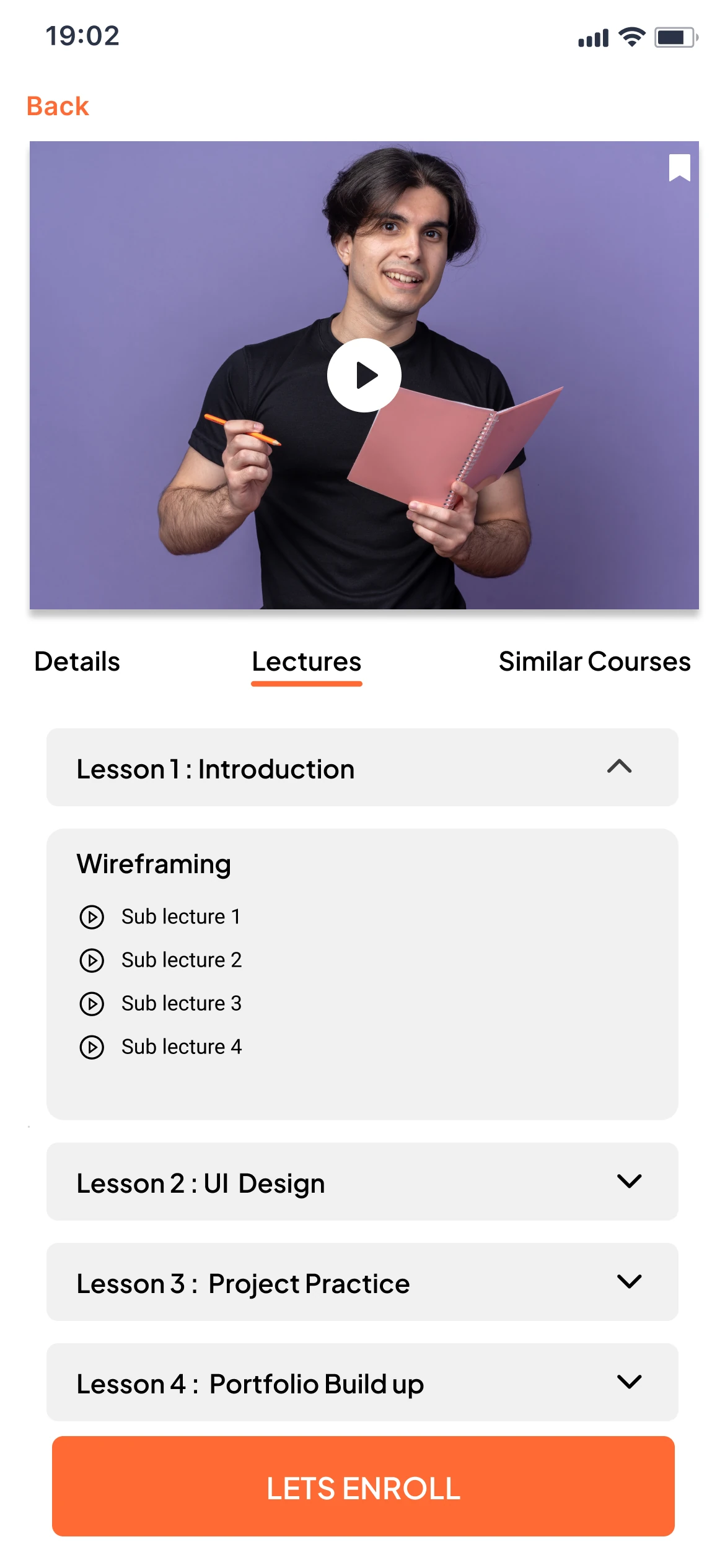
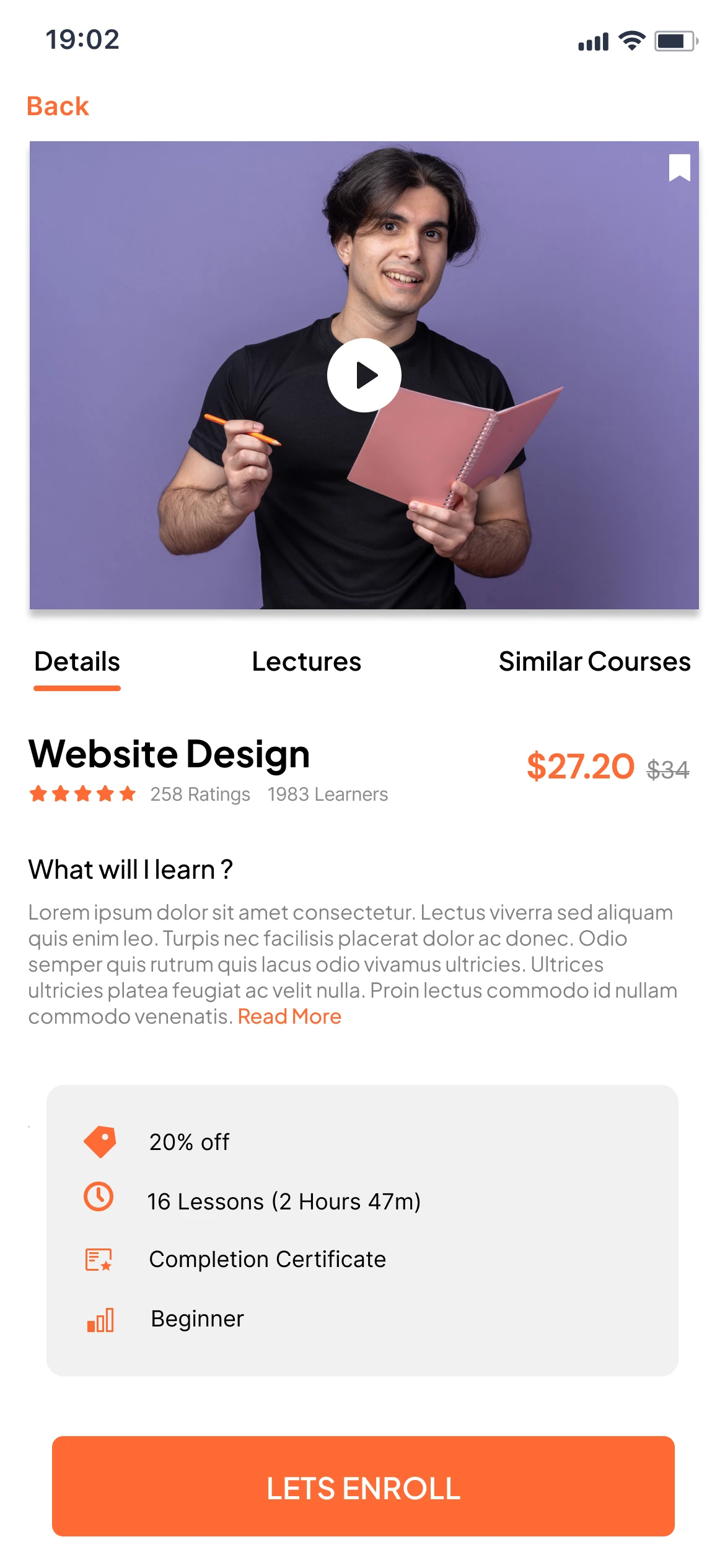 Course details
 Curriculum
02 / Course evaluation
Show the overview before the curriculum.
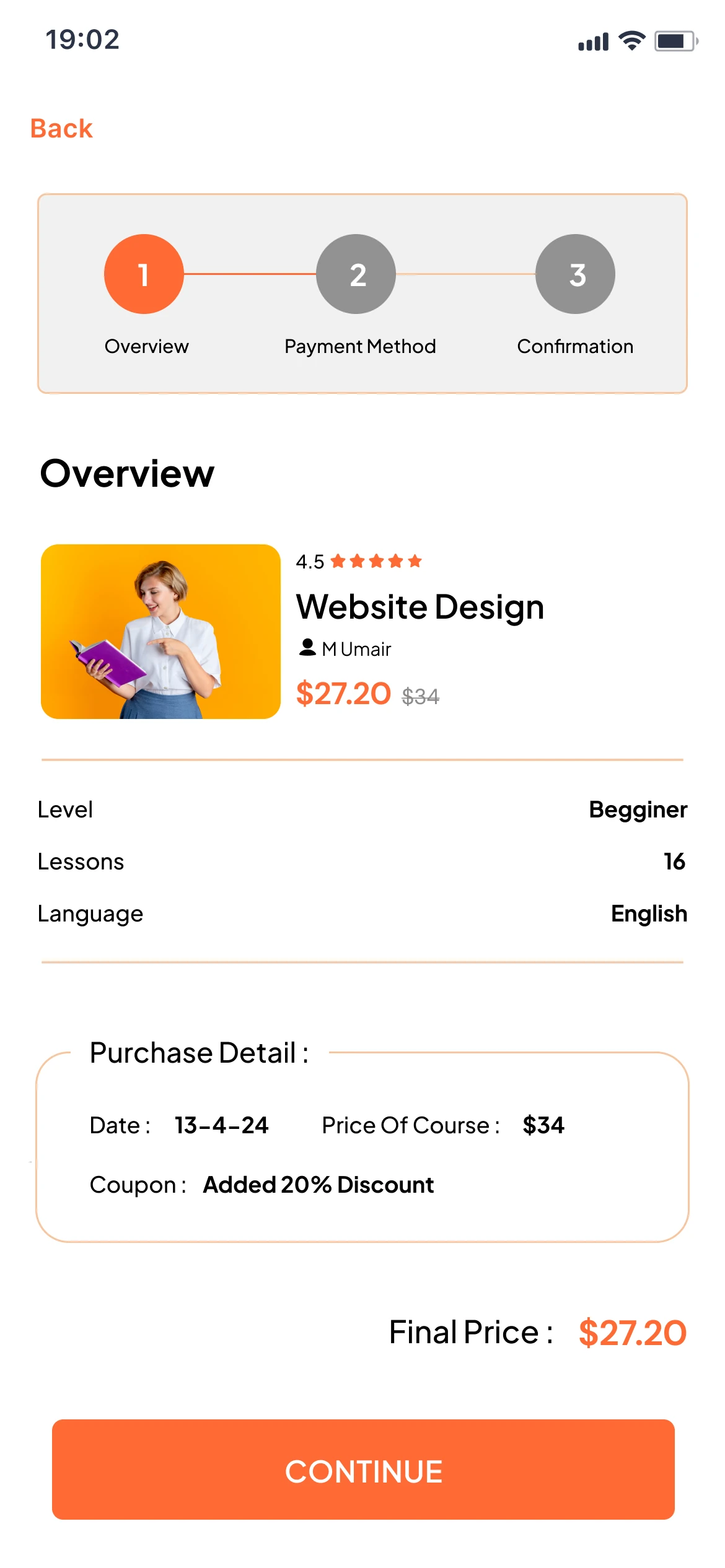
Course Details introduces the summary, price, level and lesson information. Lectures groups the curriculum separately, so learners can inspect the programme before committing.
 My Courses
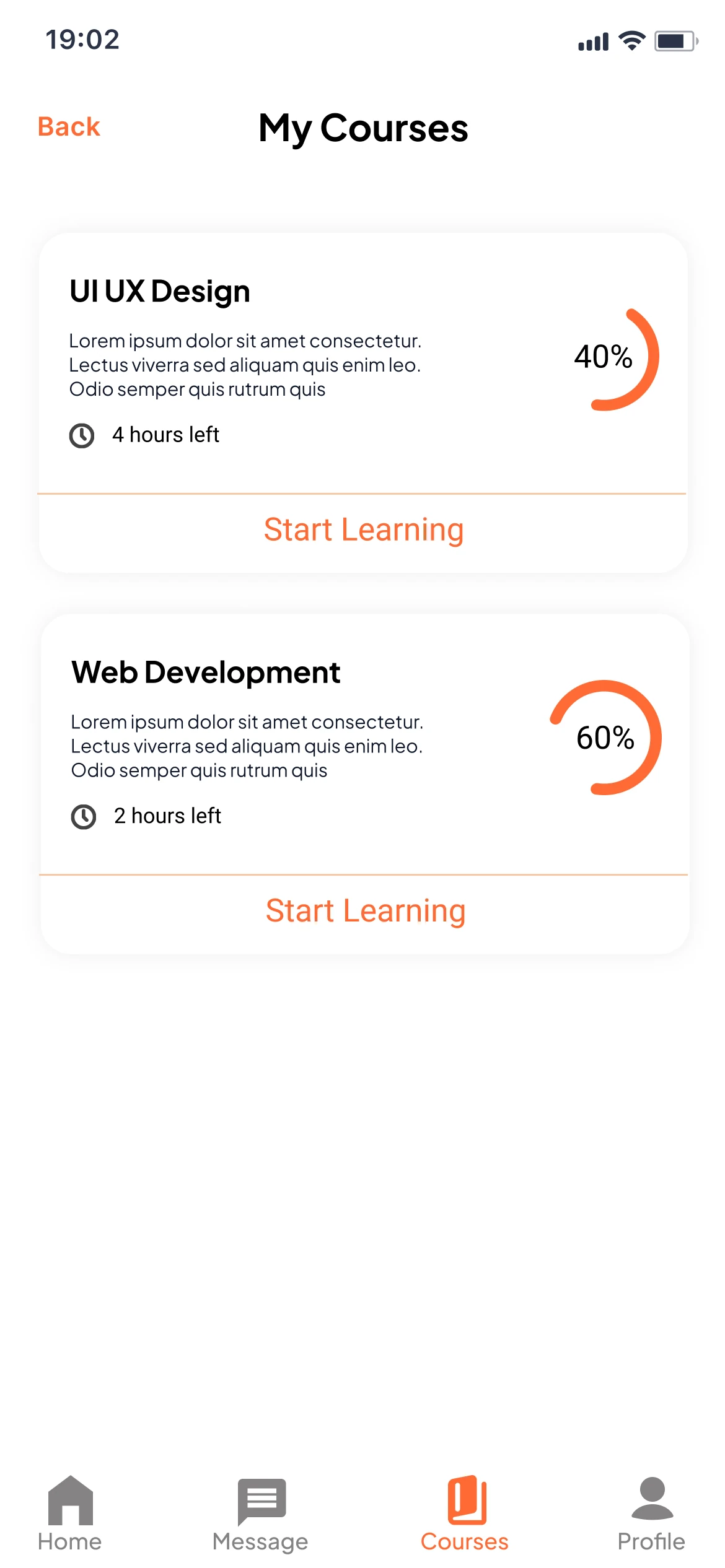
03 / Continuing learning
Give active courses a distinct destination.
My Courses groups enrolled courses and their progress in one place. The action for continuing learning is visible beside each course, rather than competing with discovery content.

05 — Reflection
An early concept. A useful foundation.
The work established a foundation for thinking about navigation, information hierarchy and screen-to-screen consistency. It remains a learning exercise, not a validated product.
What I explored
- Course discovery through search and categories
- Course and lesson information architecture
- A dedicated view for enrolled learning
What I would improve now
- Validate core tasks with real learners
- Simplify parts of the enrollment and navigation flow
- Strengthen empty, loading and error states

Your digital product starts here
Strategy · Design · DevelopmentHave a digital product worth exploring?
Tell me the user problem, the core workflow and what you want the product to achieve.
Discuss a Product Project Book a Strategy Call A clear scope. A considered next step.